 .
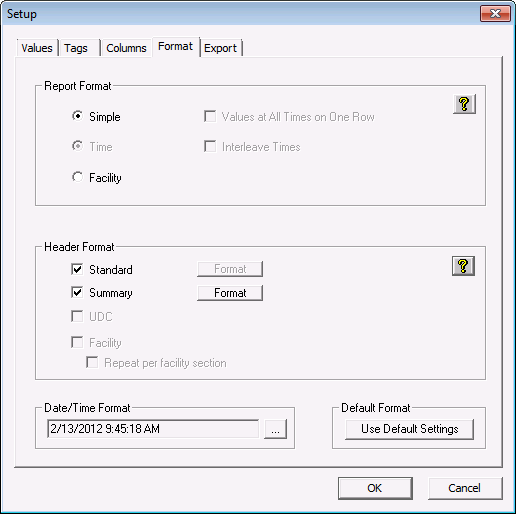
.The Format page is used to define the format of the export file and CygNet Data page. To see examples of report formatting, click the help icons .
| Option | Description |
|---|---|
|
Report Format |
Options include Simple, Time and Facility. Click Note: The report format must be Simple if the report contains a calculated rollup. |
|
Header Format |
Options include Standard and Summary. Click |
|
Date/Time Format |
Click … to choose (and customize) a date/time format. |
|
Default Format |
Click Use Default Settings to restore defaults. |
|
|
|

